Zapier Integration
Connect Intexa AI with Zapier using webhooks to automatically send generated article data to thousands of supported apps and workflows.
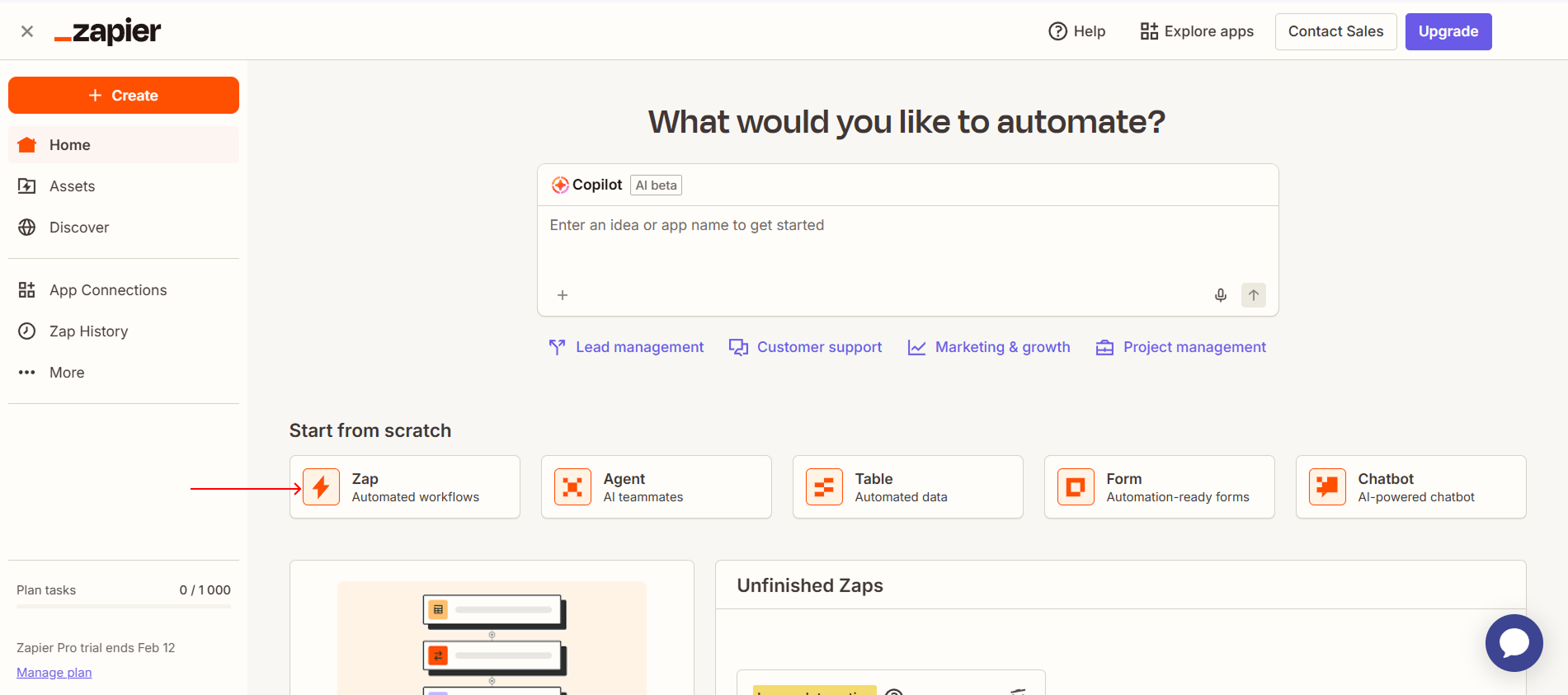
Log in to your Zapier account and create a new Zap or open an existing automation project.
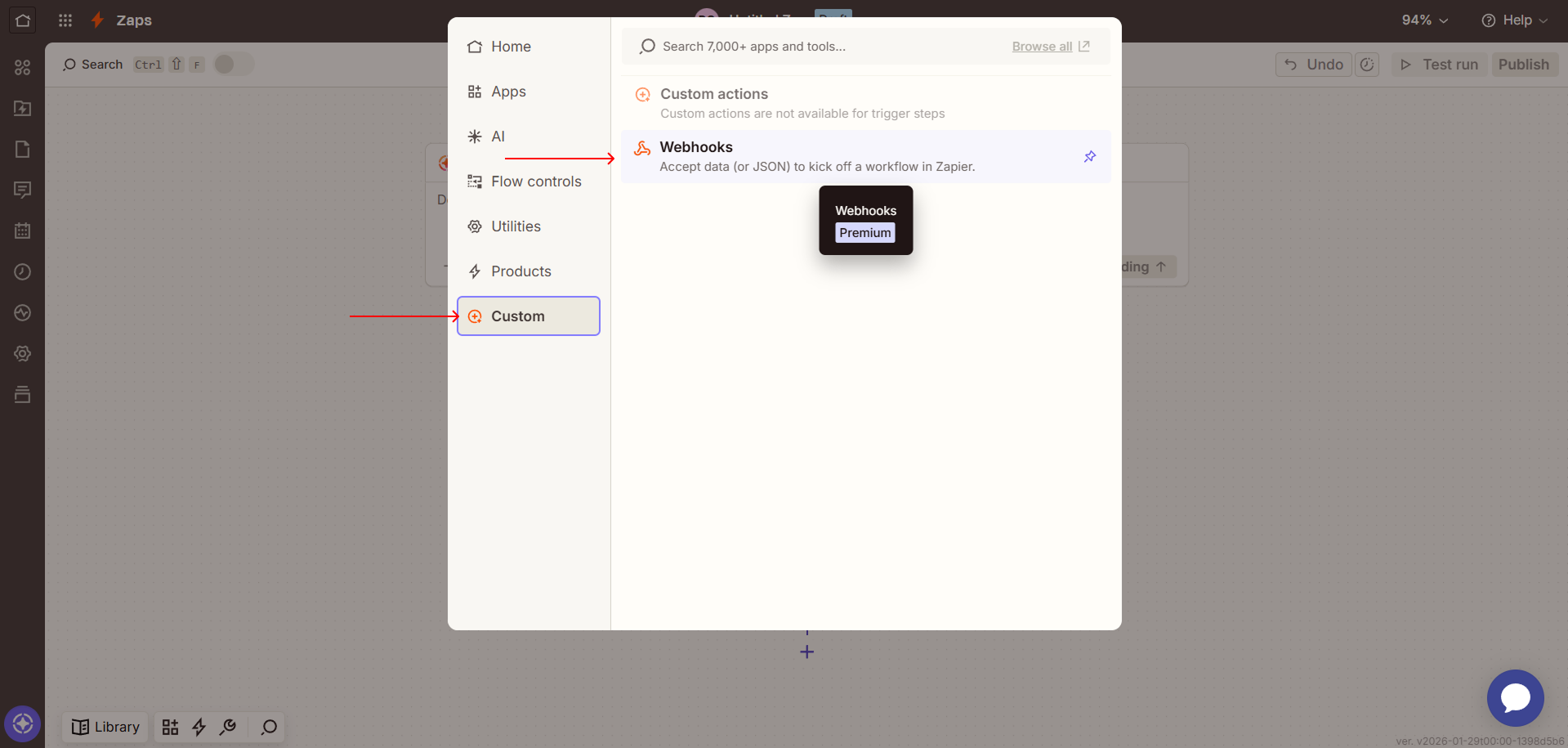
In the trigger configuration, select Custom and then choose Webhooks as the trigger app.
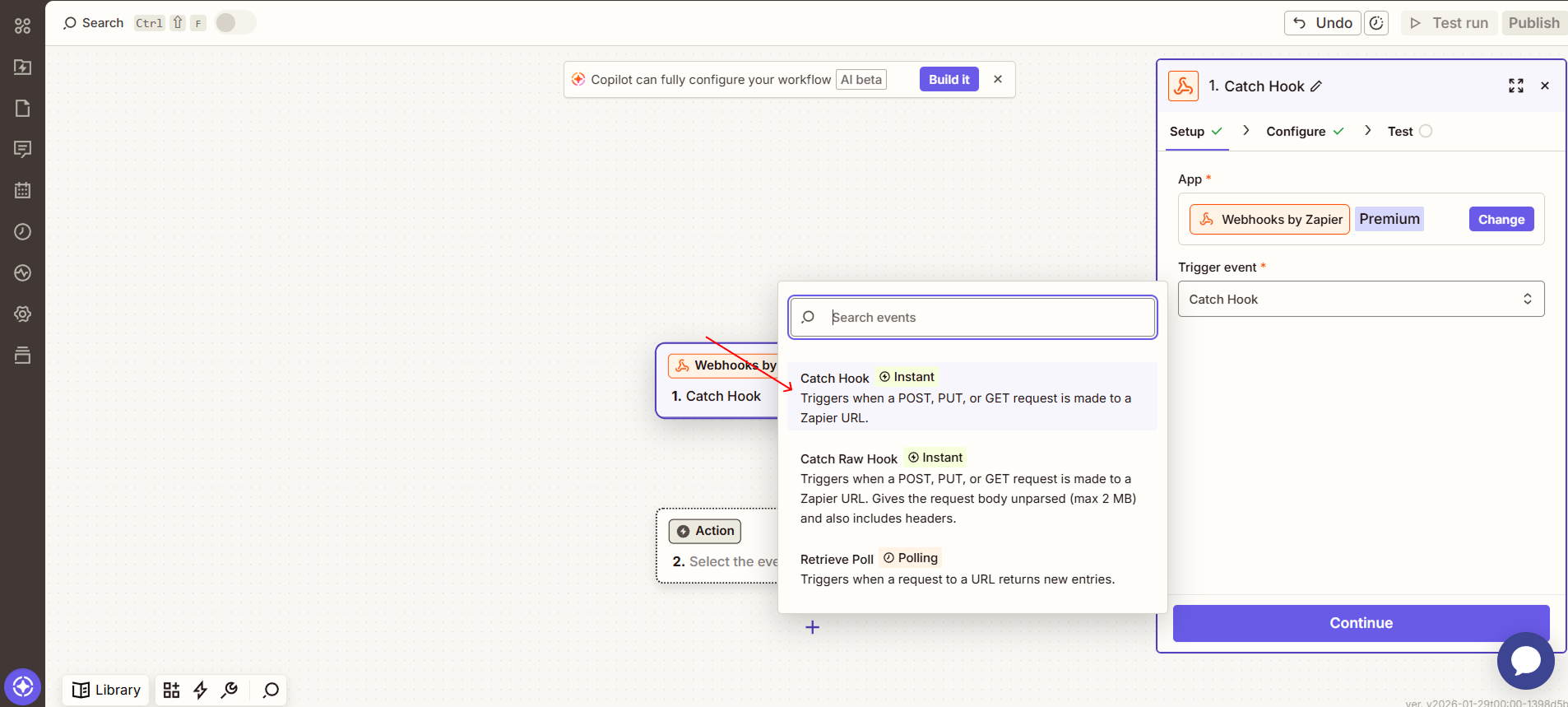
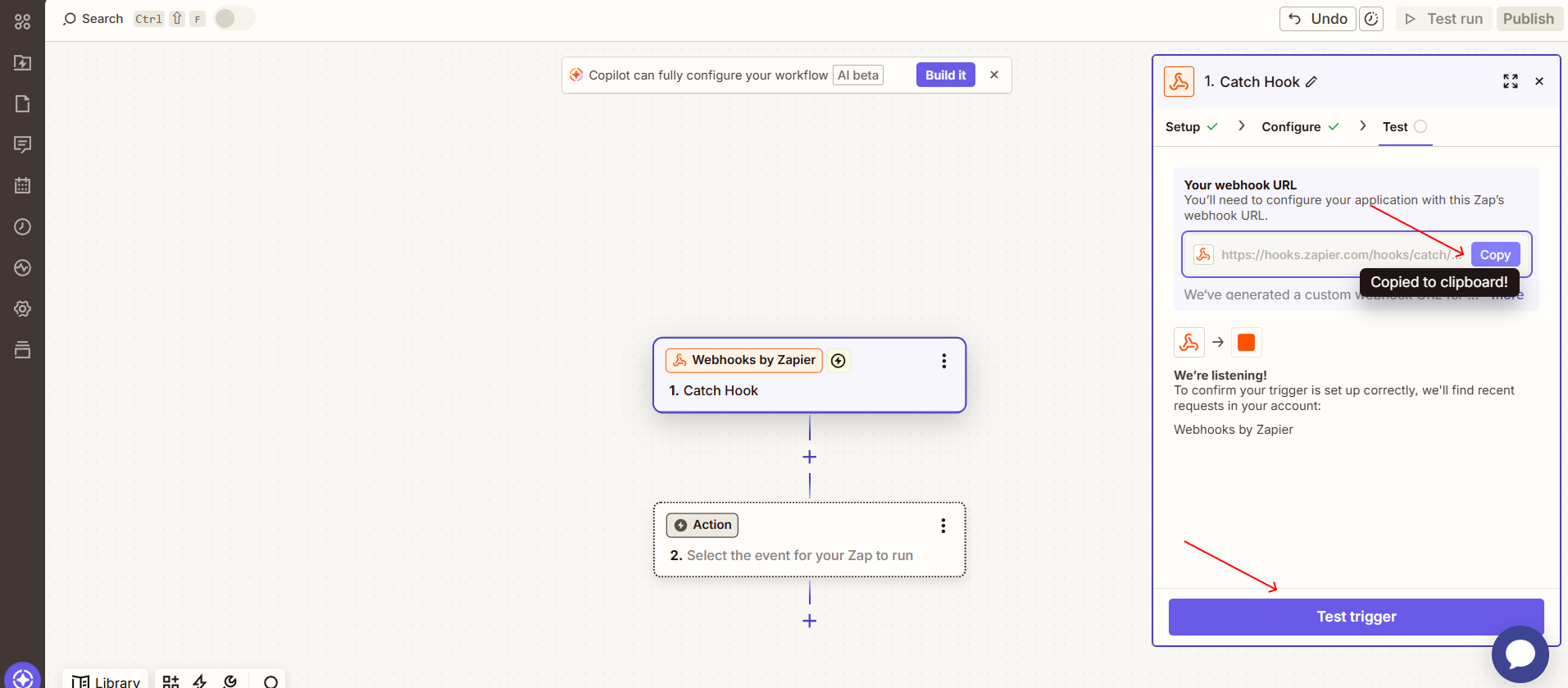
For the trigger event type, select Catch Hook to receive data from Intexa AI.
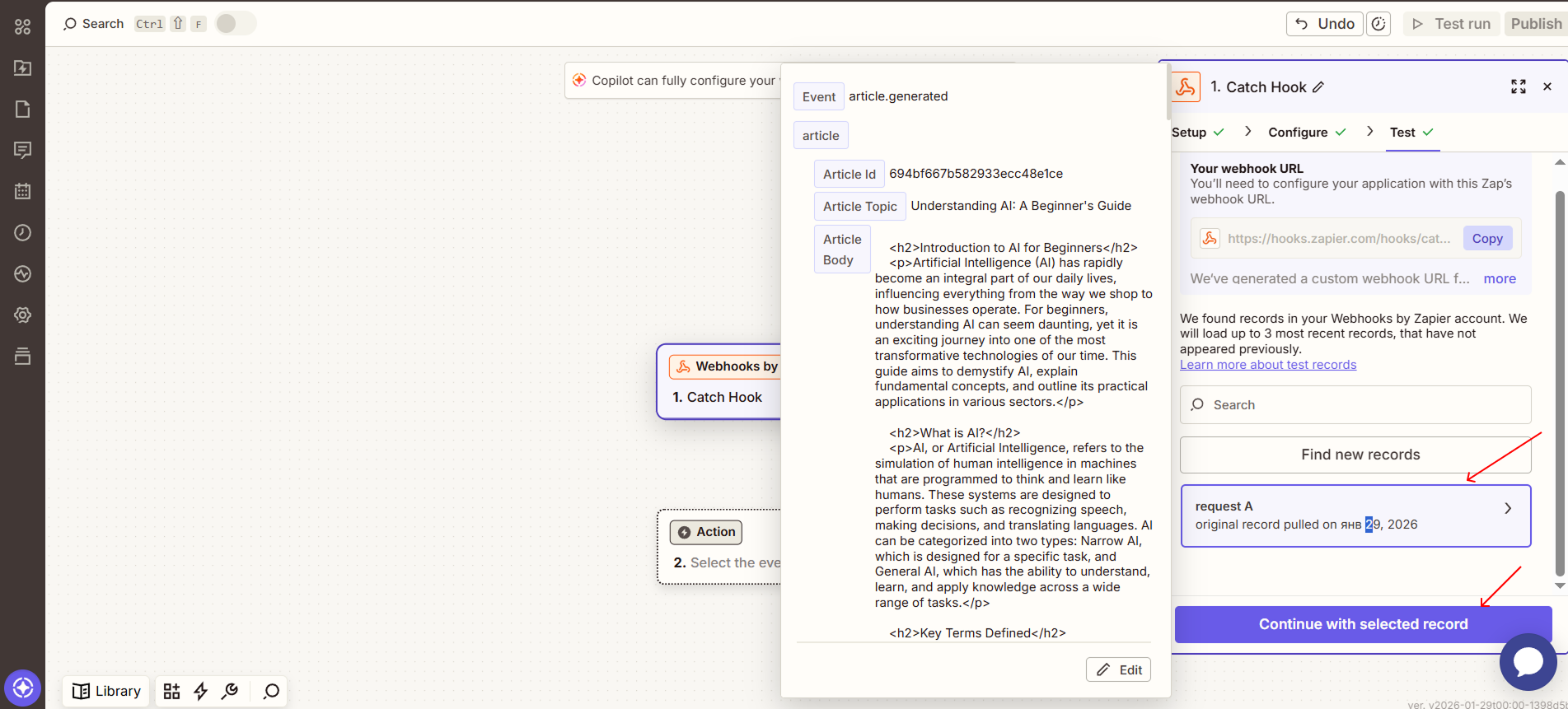
Copy the generated webhook URL provided by Zapier and click Test Trigger to prepare it for incoming data.
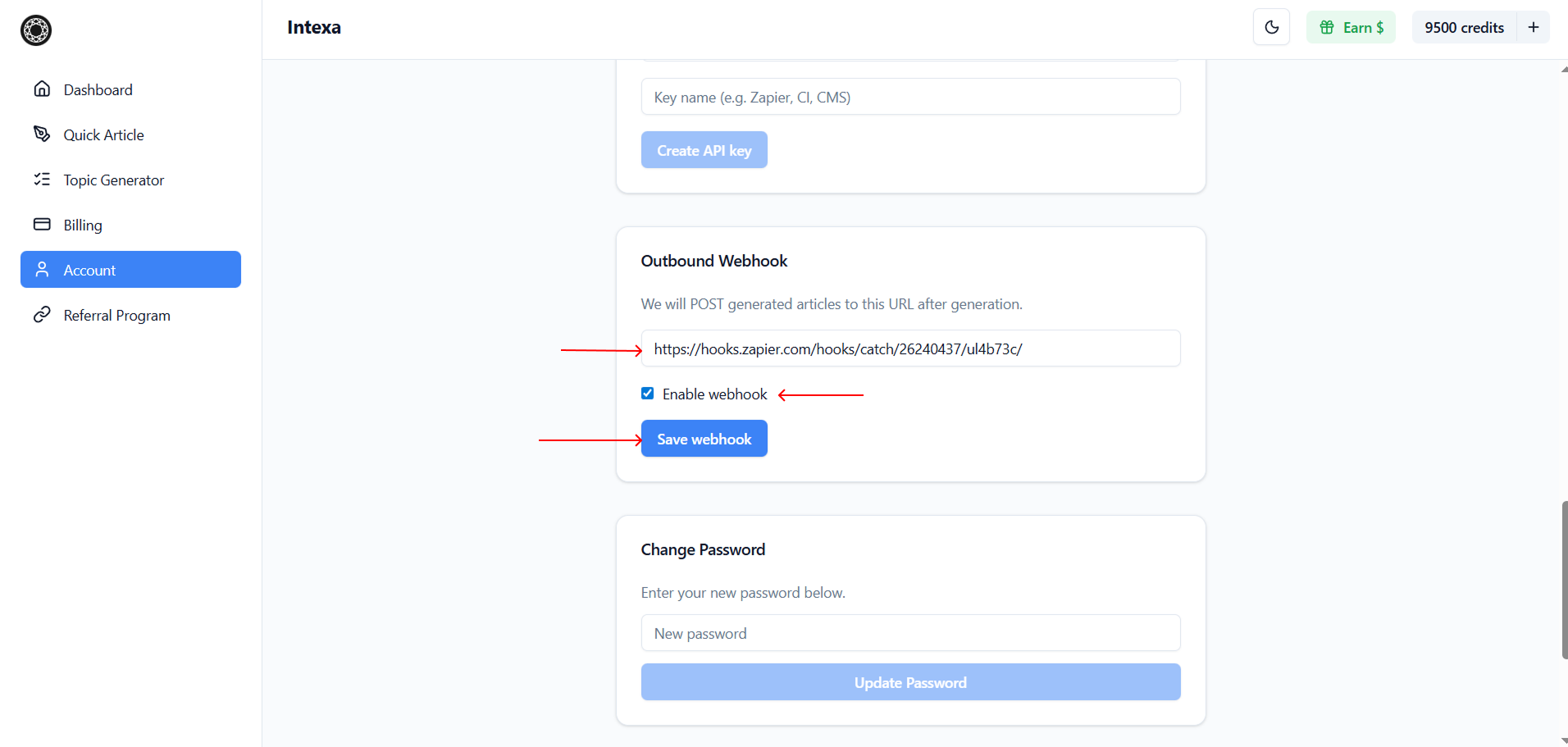
Open the Intexa AI dashboard, go to Account, locate the Outbound Webhook block, paste the webhook URL into the form, enable the webhook, and click Save Webhook.
After generating an article in Intexa AI, a webhook containing the article data will be automatically sent to Zapier. You can then continue building your automation by adding additional actions and processing steps.